Upgrade from trial to a paid subscription
Log in to your Plausible account. In the top right, click the X trial days left button, then click Upgrade in the Subscription section.
Subscribe before your dashboards and stats are deleted to keep your historical stats. Nothing is reset when you upgrade. See what happens when your trial ends.
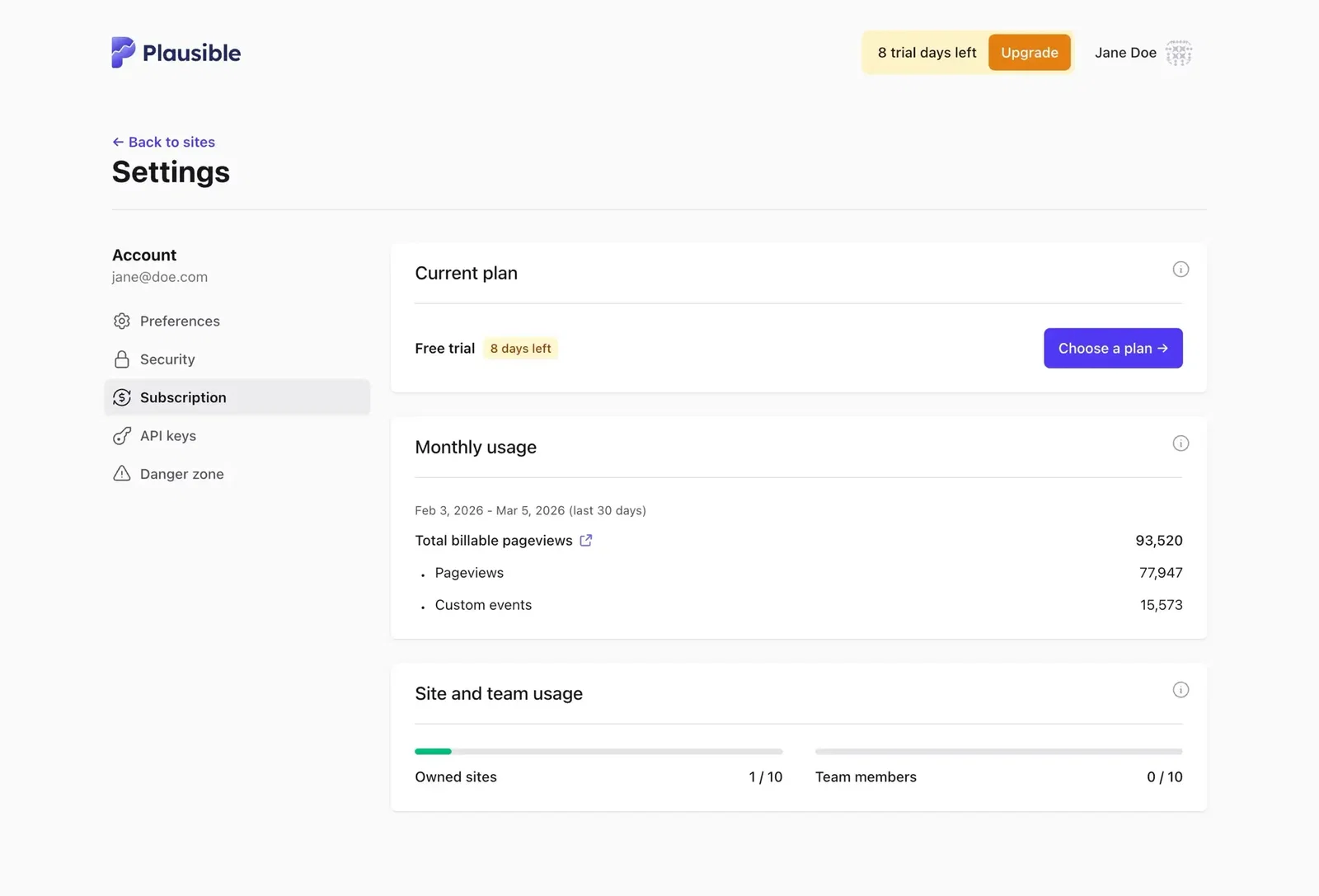
Choose your tier and plan
Our subscription tiers are based on total pageviews and custom events across all the sites in your account. Check your current usage in the Subscription section and pick a tier that matches. You can get 2 free months with an annual subscription.
Next, choose a plan:
- Starter - Essential features for solo projects and new sites
- Growth - Team access and sharing tools for growing projects
- Business - Advanced marketing features, more sites and larger teams
- Enterprise - Custom plan with tailored limits. Contact us to discuss or learn more
Compare plans and pricing on our website. Then click Upgrade to continue.
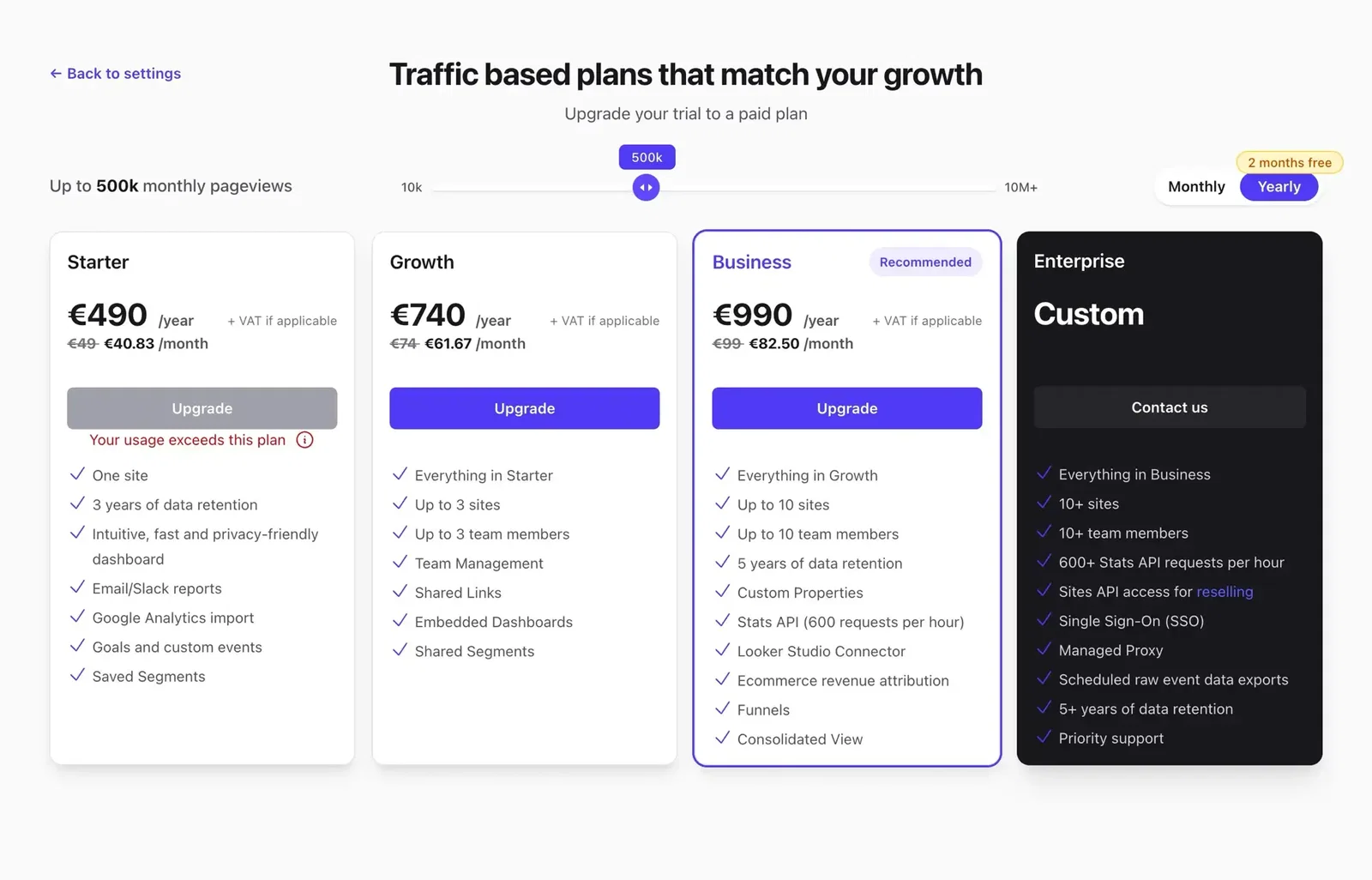
Not sure which tier or plan to pick? See Choose the right subscription for details on how usage is calculated, what happens with traffic spikes and how to manage your plan over time.
Pay and subscribe
Billing is handled by Paddle, our payment processor. Click Pay securely via Paddle, choose your location, then pick a payment method. You can pay by credit/debit card, PayPal, Apple Pay or Google Pay.
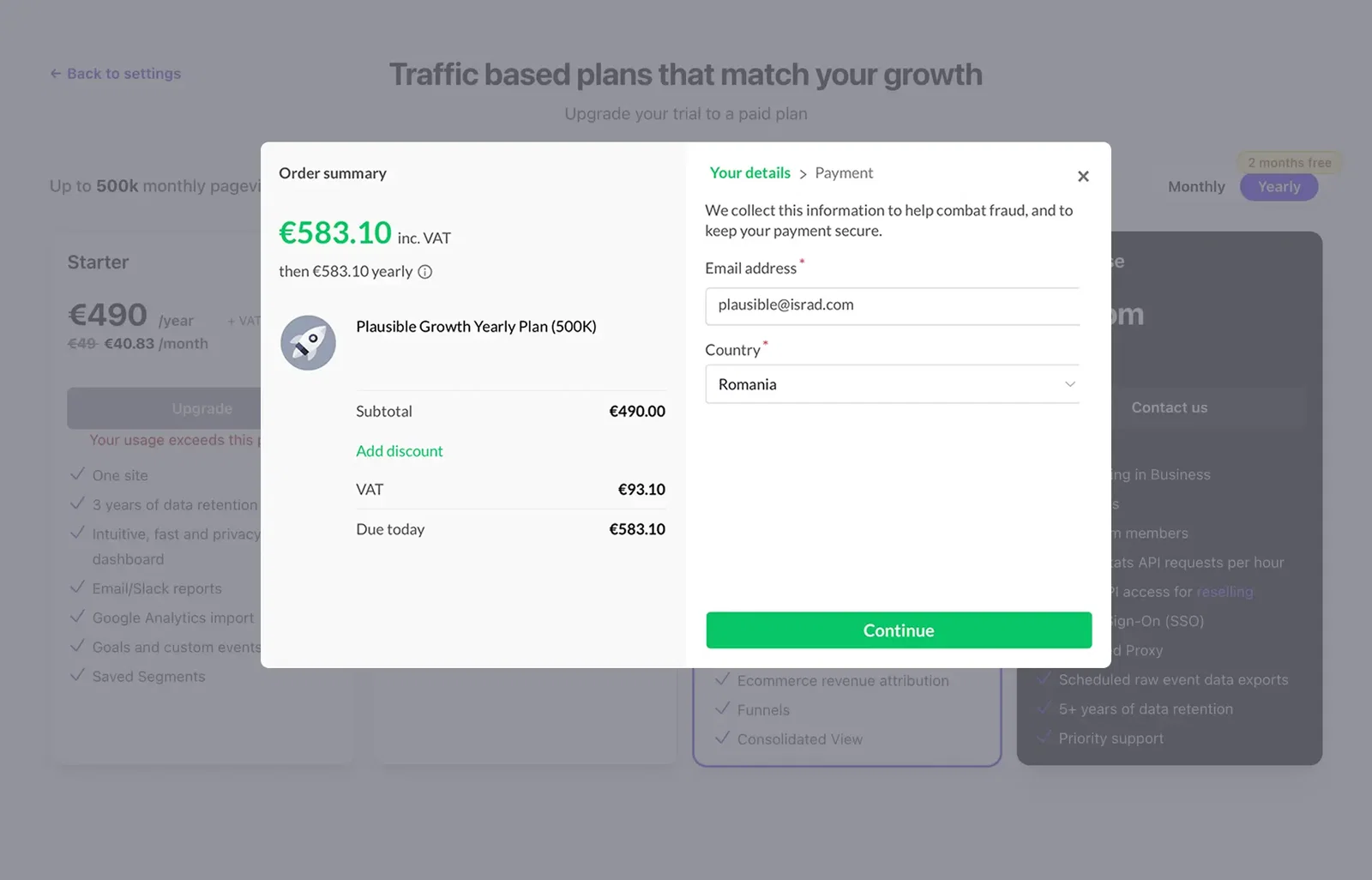
Fill in your details and click Subscribe Now.
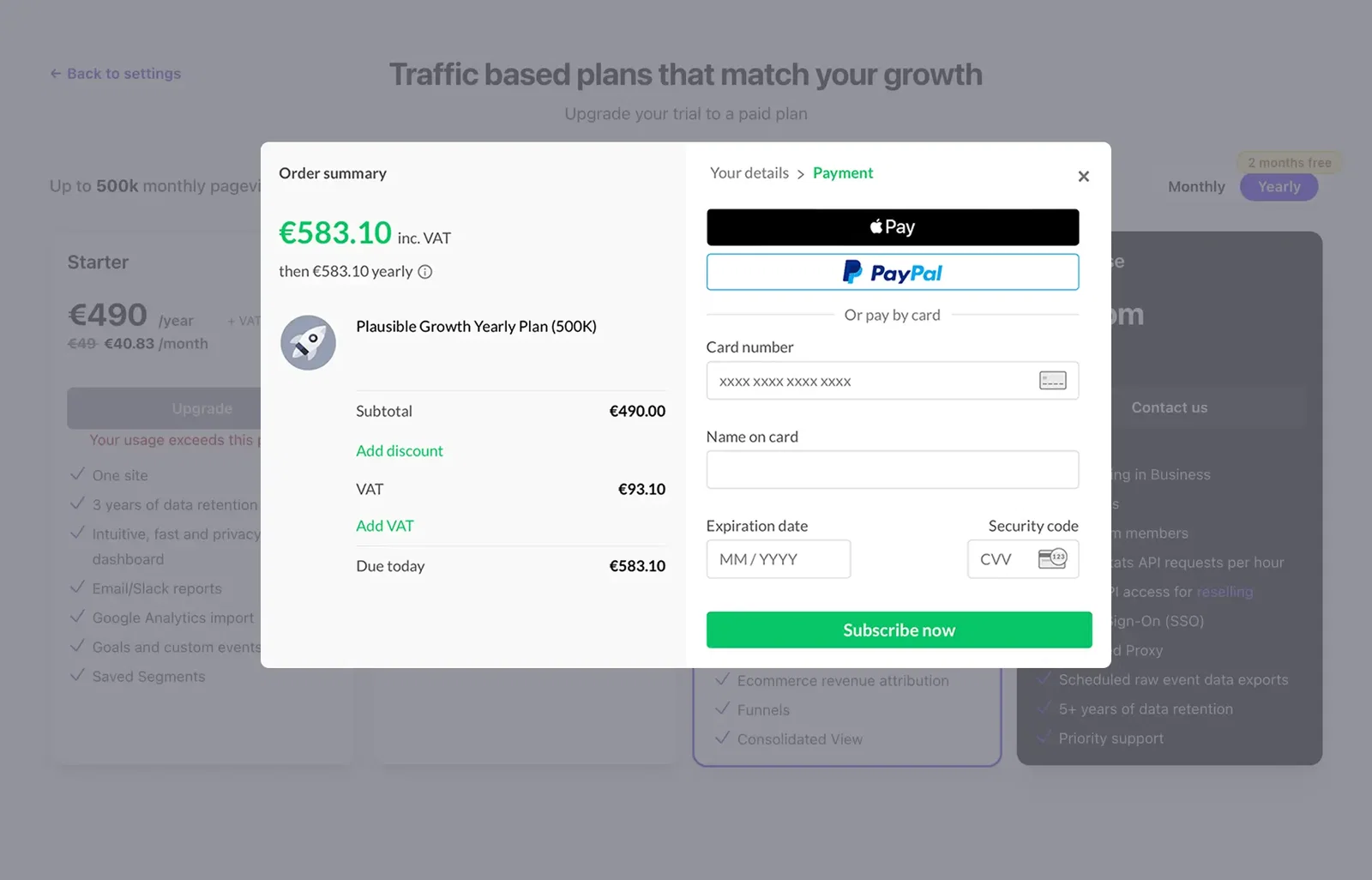
Add your company address and VAT number
During checkout, you can add your company address and VAT ID. Paddle handles VAT and sales taxes. If you're eligible, no VAT will be charged.
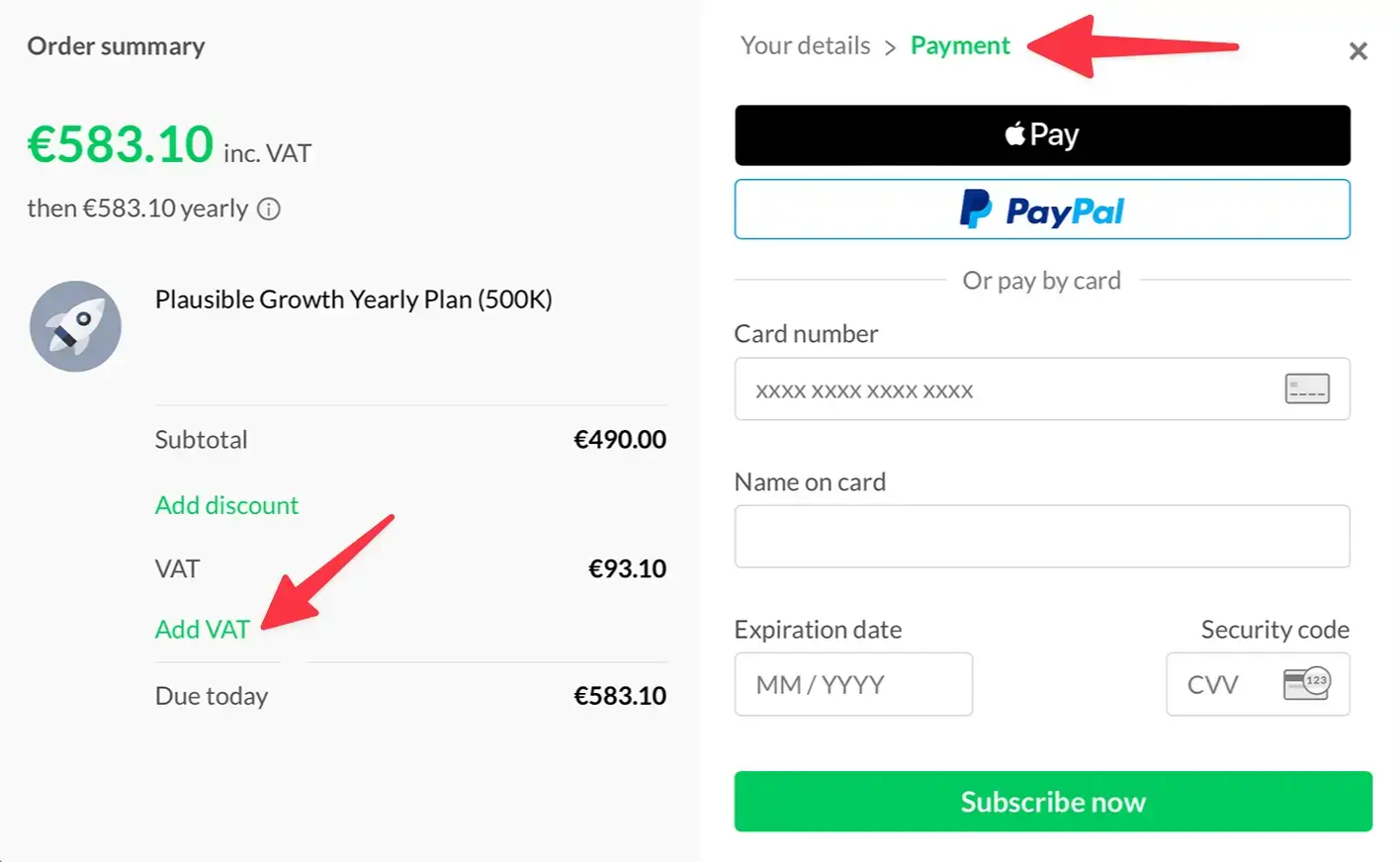
If you skip this step, you can add these details later by opening any invoice from Paddle and clicking Add address & VAT Number. More on managing invoices in View and save your invoices.
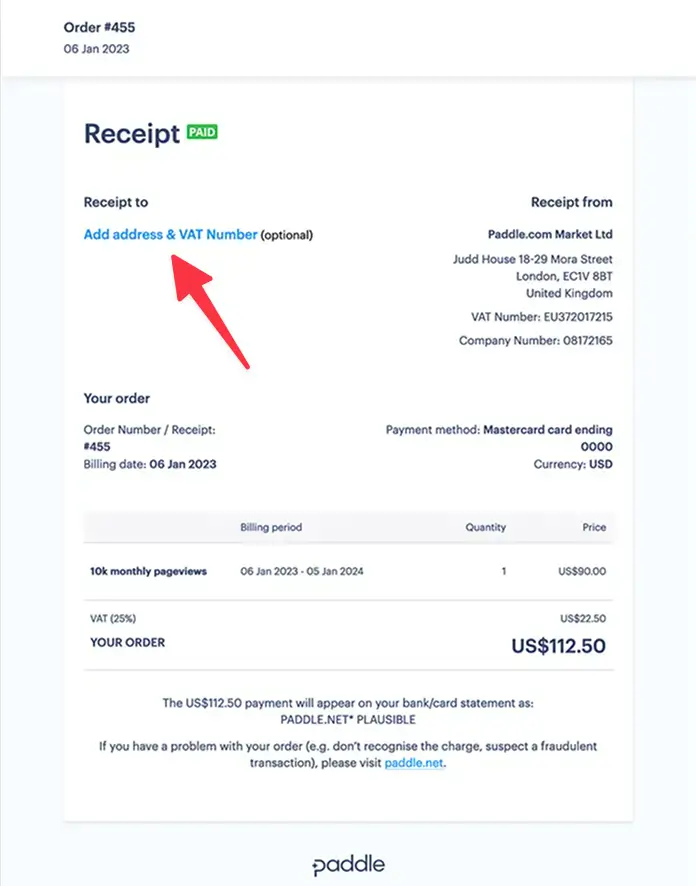
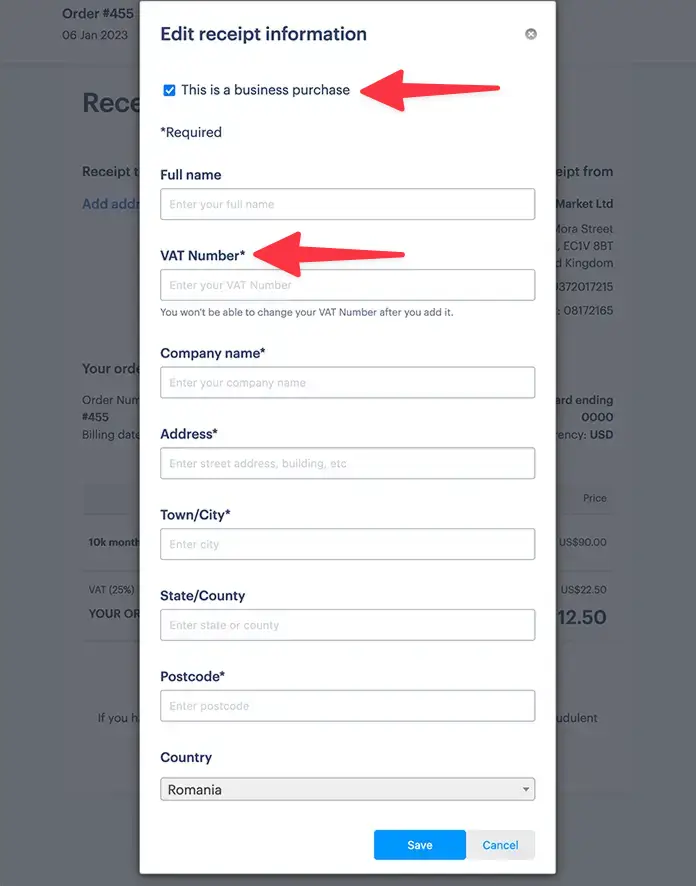
Your subscription starts immediately and renews automatically. You can change or cancel your plan at any time.
What's next?
- Invite your team so colleagues can access the dashboard directly without sharing your login credentials
- Set up email reports to receive a weekly or monthly summary of your stats by email
- Create shared links to give read-only dashboard access to clients or stakeholders without requiring a Plausible account
- Set up goals to start tracking conversions if you have not already done so
Have questions before upgrading? Check the Billing FAQ or contact us.